
Parameterized Queries
In Infragate, when setting up tools that integrate with data sources of type “database”, you can define parameterized queries to safely interact with the database. Parameterized queries help prevent SQL injection attacks by separating SQL code from data. This is the default and recommended way to execute queries against a database. With that said, there are scenarios where you might need to use raw queries, which are also supported, for example to perform exploratory data analysis.
Parameterized Queries
Section titled “Parameterized Queries”When defining a tool that interacts with a database, you can specify a parameterized query using placeholders for parameters. For example, consider the following parameterized SQL query:
SELECT * FROM users WHERE age > :age AND city = :cityIn this query, :age and :city are placeholders for parameters that will be provided at runtime.
When the tool is invoked, the parameters are safely substituted into the query, ensuring that any user input is properly escaped.
Raw Queries
Section titled “Raw Queries”Suppose that in some cases you want to give your LLM/AI Agent full control over the query structure as well as data discovery capabilities, such as listing and describing tables. For this reason, Infragate also supports raw queries, which allow full query passthrough without sanitization.
To enable this option for a tool, select the “Raw SQL Query” option under Query Type. A warning will be displayed to remind you of the security implications of using raw queries.
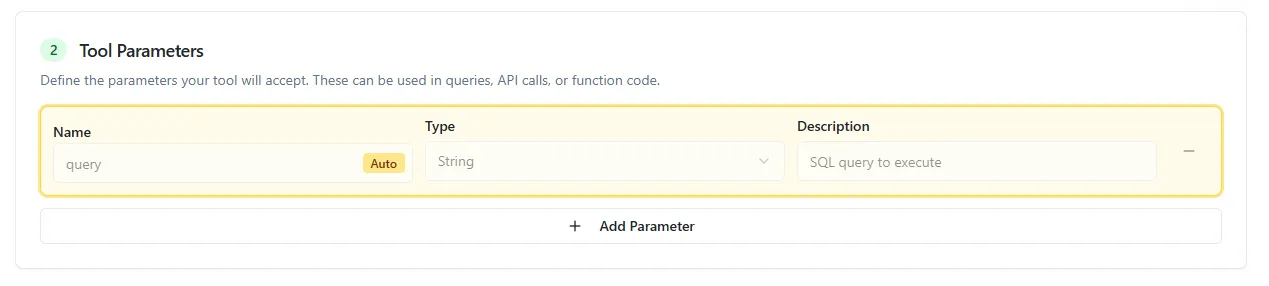
Note that when choosing raw queries, you cannot supply parameters for the query, since the only parameter is the full query itself.
Example Setup
Section titled “Example Setup”-
Sign up for Infragate
Section titled “Sign up for Infragate”Create your free account at console.infragate.co
Open Console -
Create a MCP Server
Section titled “Create a MCP Server”Navigate to the “MCP Servers” and create or use an existing server.
It will take a minute for the server to be initalized.
-
Create a new tool
Section titled “Create a new tool”After the server has initialized successfully, click on “Tools” tab and then “Add Tool”. Use the RNA Central database as the data source as described in the Quick Start guide.
- Set the tool name:
Tool Name execute_sql_query - Set the tool description:
Tool Description Executes a SQL query against the RNA Central database using Postgres SQL Dialect.
- Set the tool name:
-
Set query type to Raw SQL Query
Section titled “Set query type to Raw SQL Query”In the tool creation form, under “Query Type”, select “Raw SQL Query”.
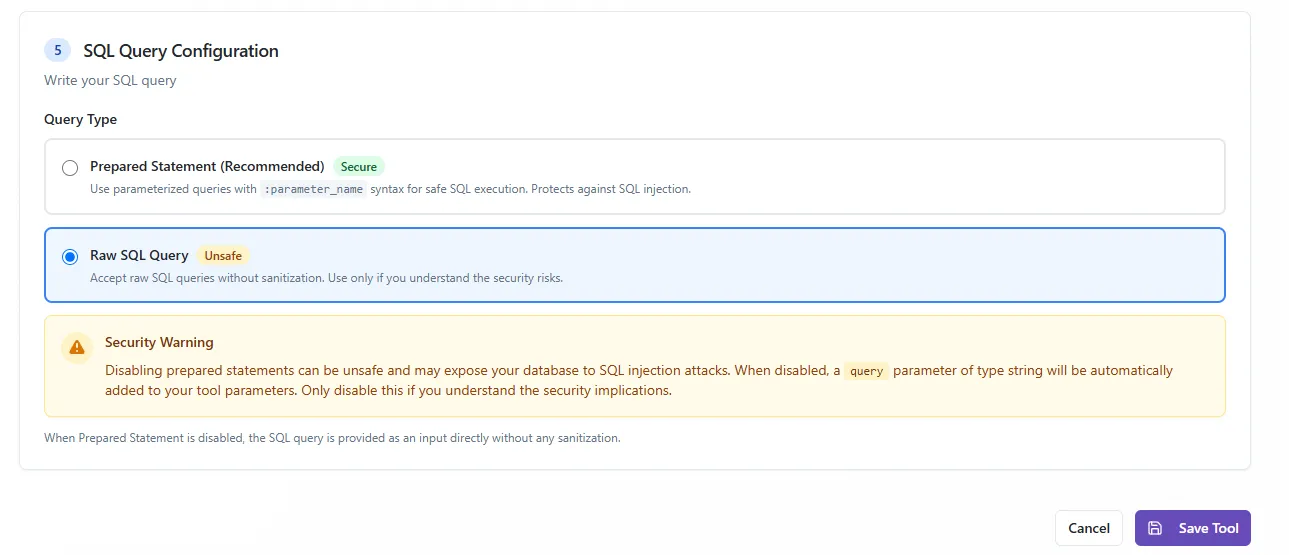
Notice how the parameters section is disabled since raw queries do not support parameters.
-
Save the tool
Section titled “Save the tool”Click “Save Tool” to add it to your MCP server.
-
Invoke with Agent
Section titled “Invoke with Agent”Using the “Integrations” tab, add the MCP server to your tool of choice.
Ask the agent to perform exploratory data analysis on the database.
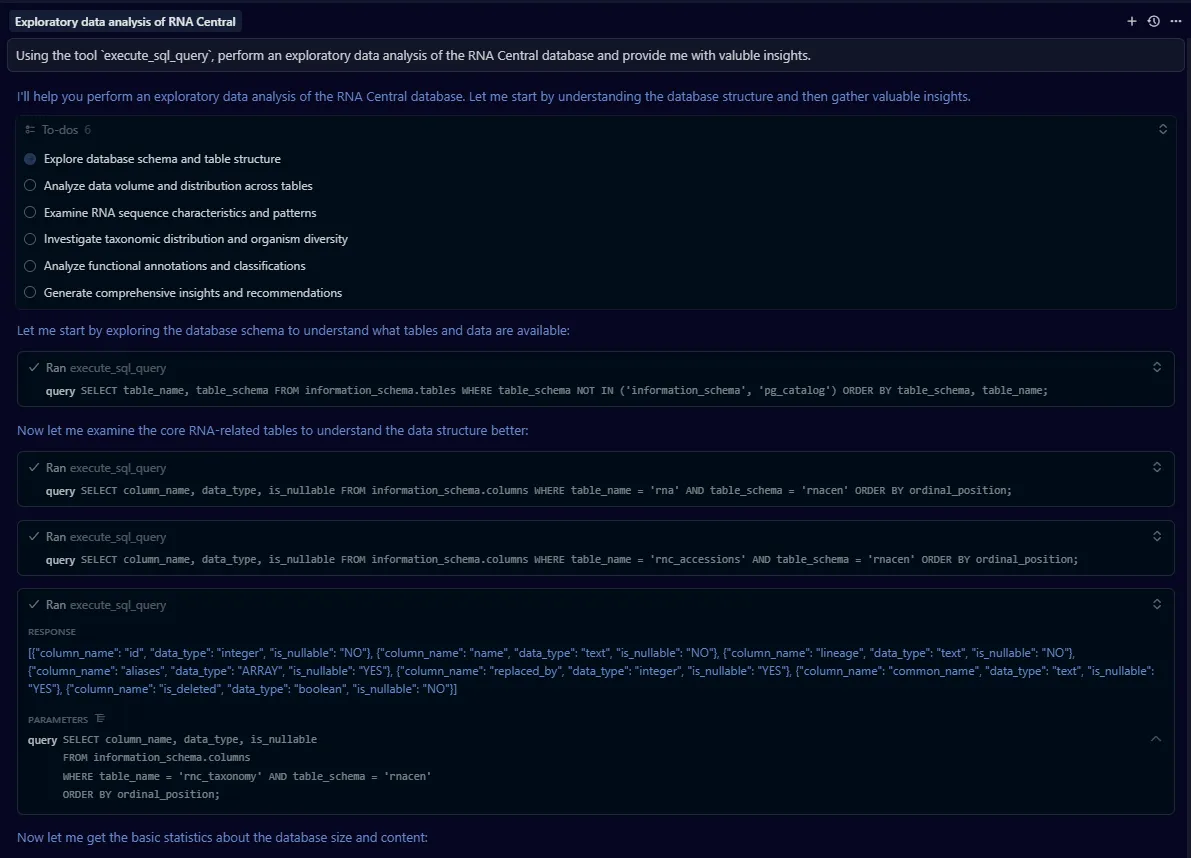
Prompt Using the tool `execute_sql_query`, perform an exploratory data analysis of the RNA Central database and provide me with valuble insights.In the image below, you can see the agent using the tool to list tables, describe a table, and run SQL queries to gather insights from the database.