

Knowledge Graph
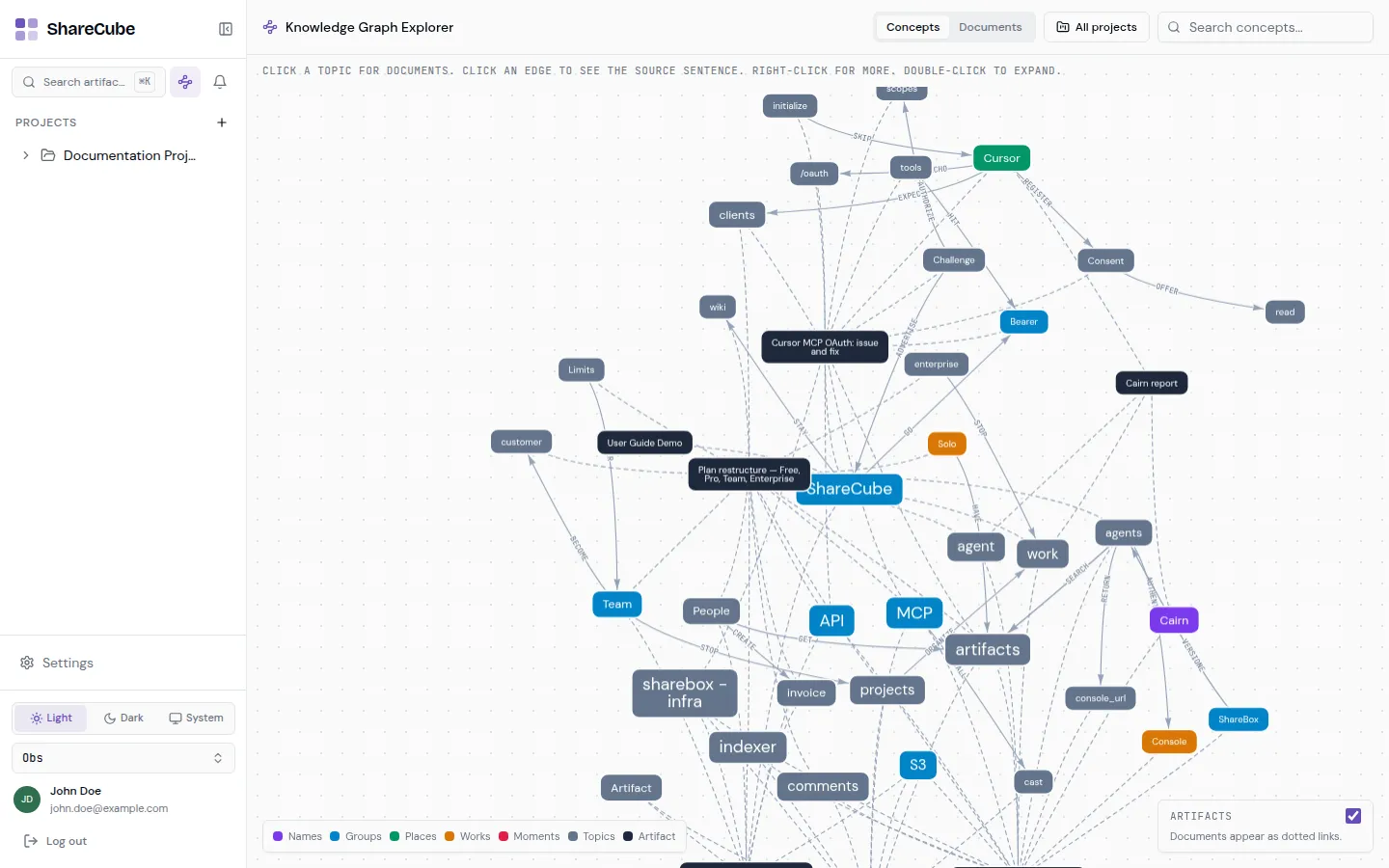
The knowledge graph turns the text in your artifacts into a map of concepts and how they connect. Open it from the graph icon in the sidebar, or go to /graph.
How to read the map
Section titled “How to read the map”The canvas is interactive:
- Click a topic to see related documents.
- Click an edge to see the source sentence that created that link.
- Right-click a node for more actions.
- Double-click to expand.
Use the header to switch between Concepts, Documents, and All projects, or search for a concept by name.
The legend at the bottom explains node colors (names, groups, places, works, moments, topics, and artifacts). The ARTIFACTS toggle shows documents as dotted links.
When to use it
Section titled “When to use it”Use the graph when you remember a theme (“billing”, “MCP”, “onboarding”) but not the file name. Search is better when you already know a phrase from the document. The two features complement each other.
Agents with the graph entitlement can query the same data through the search_graph MCP tool.